AI Visual Summary Generator— Text to Infographic & Image to Infographic
From text and images to one-page infographics and visual summaries ready for proposals, updates, decisions, and presentations—no manual design needed.
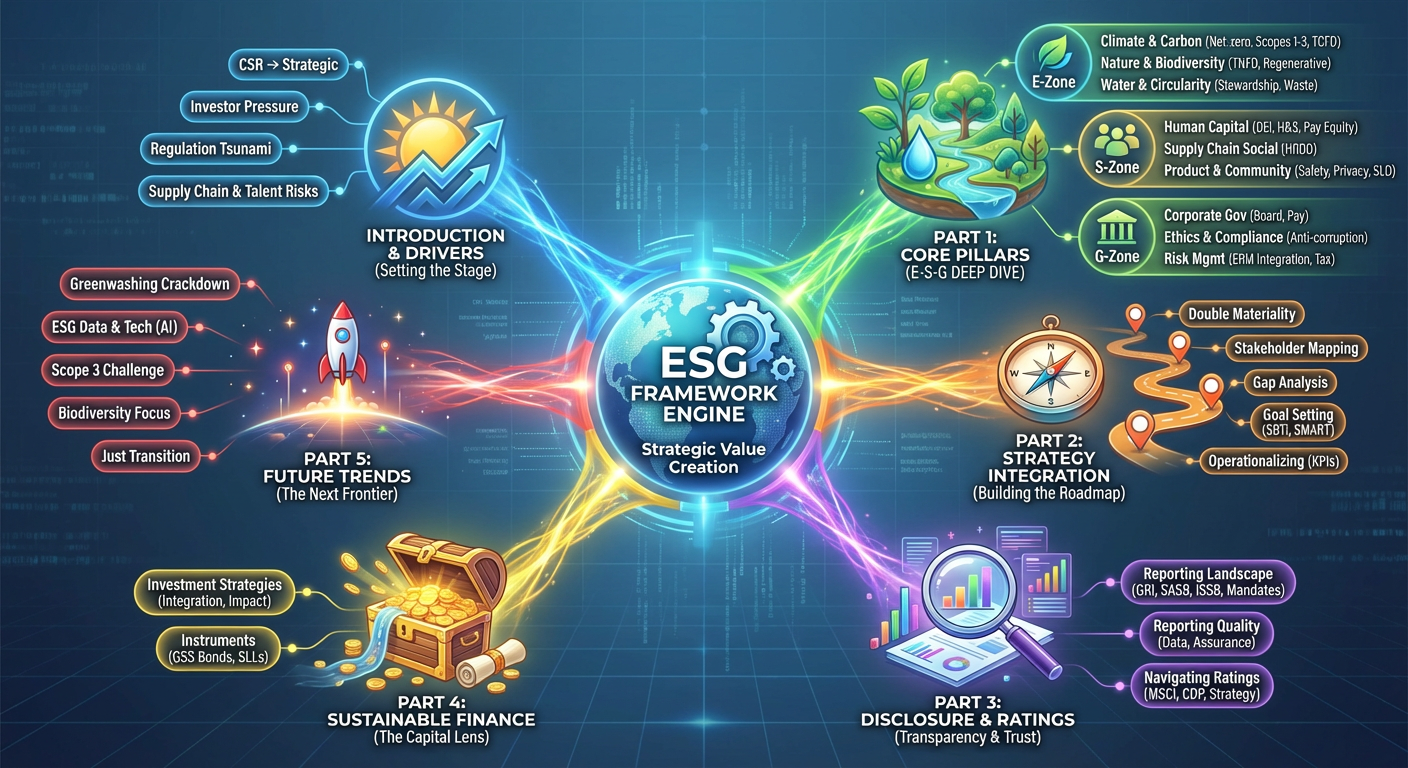
Visual Summary 1
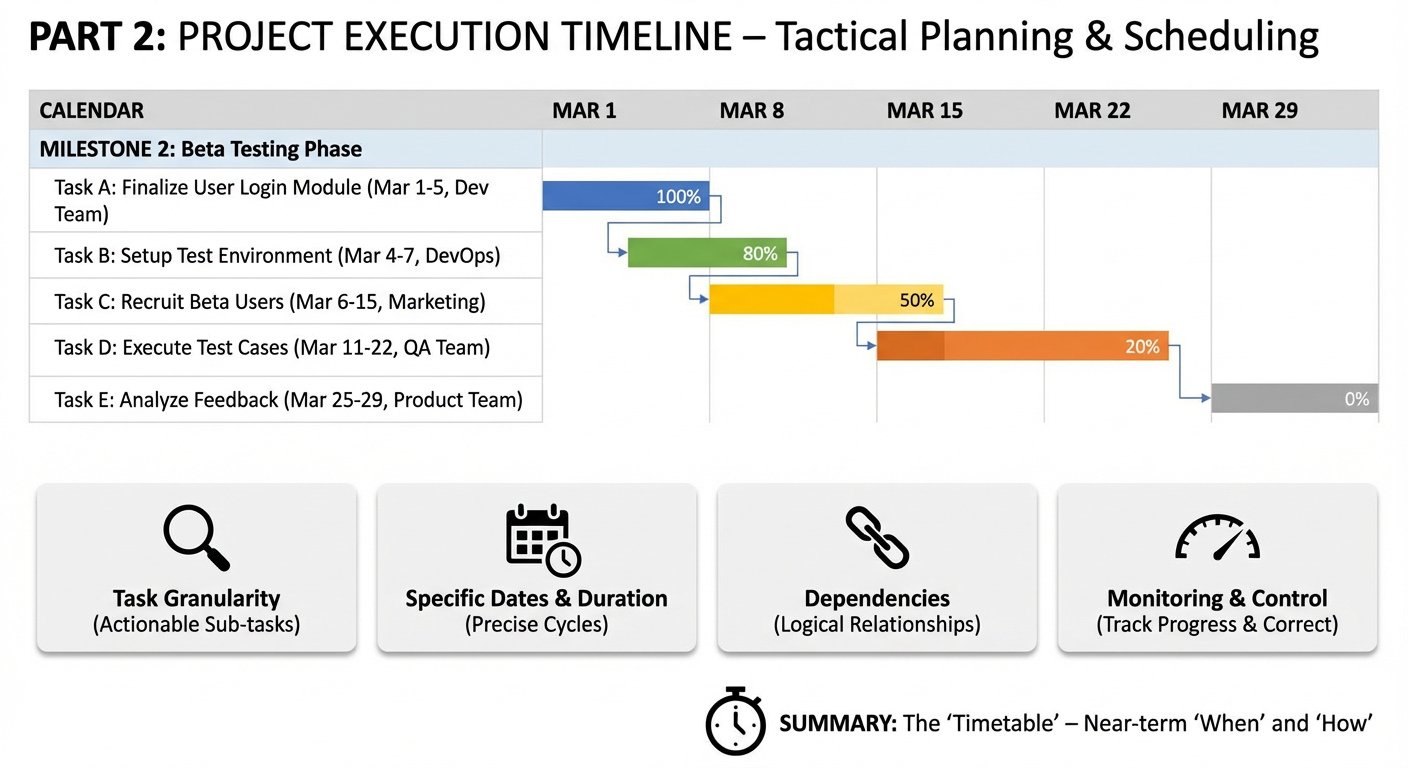
Visual Summary 2
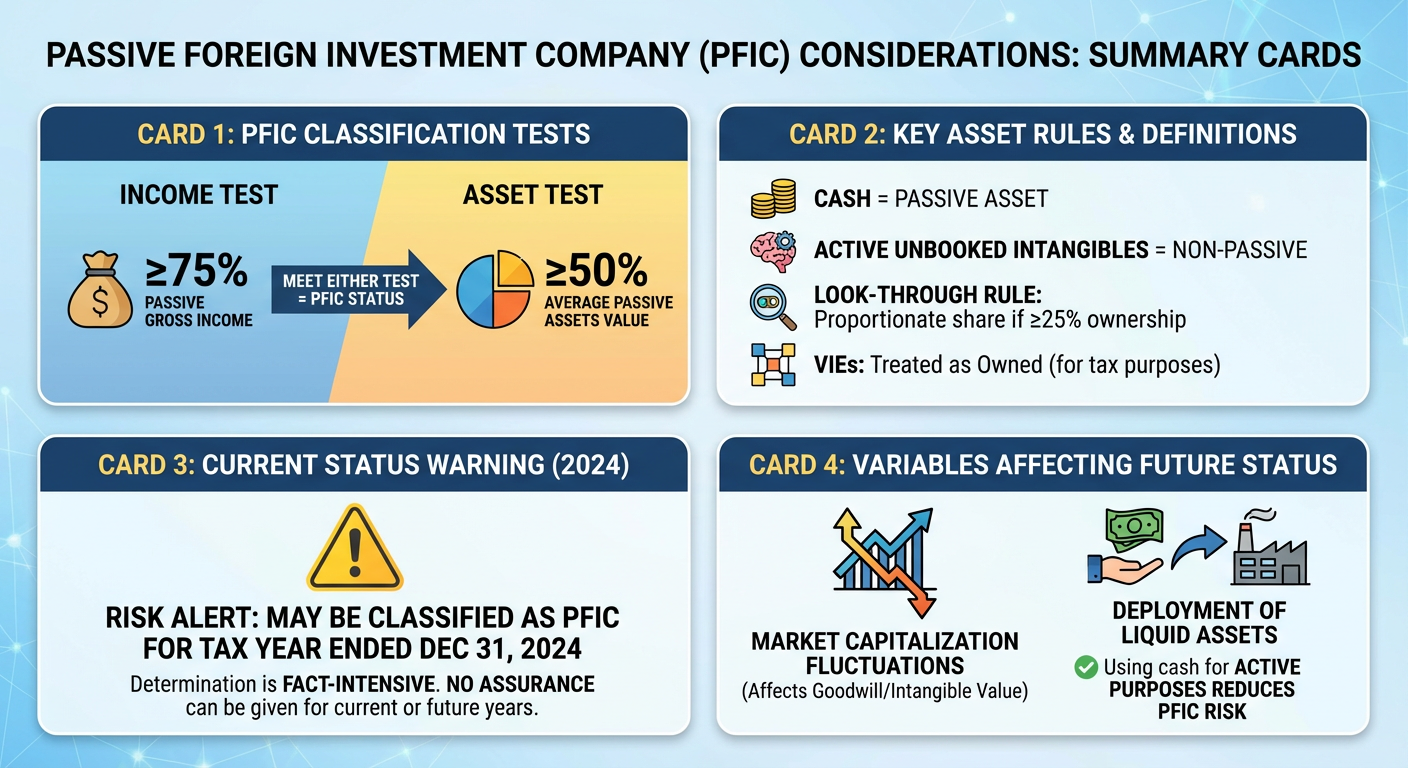
Visual Summary 3
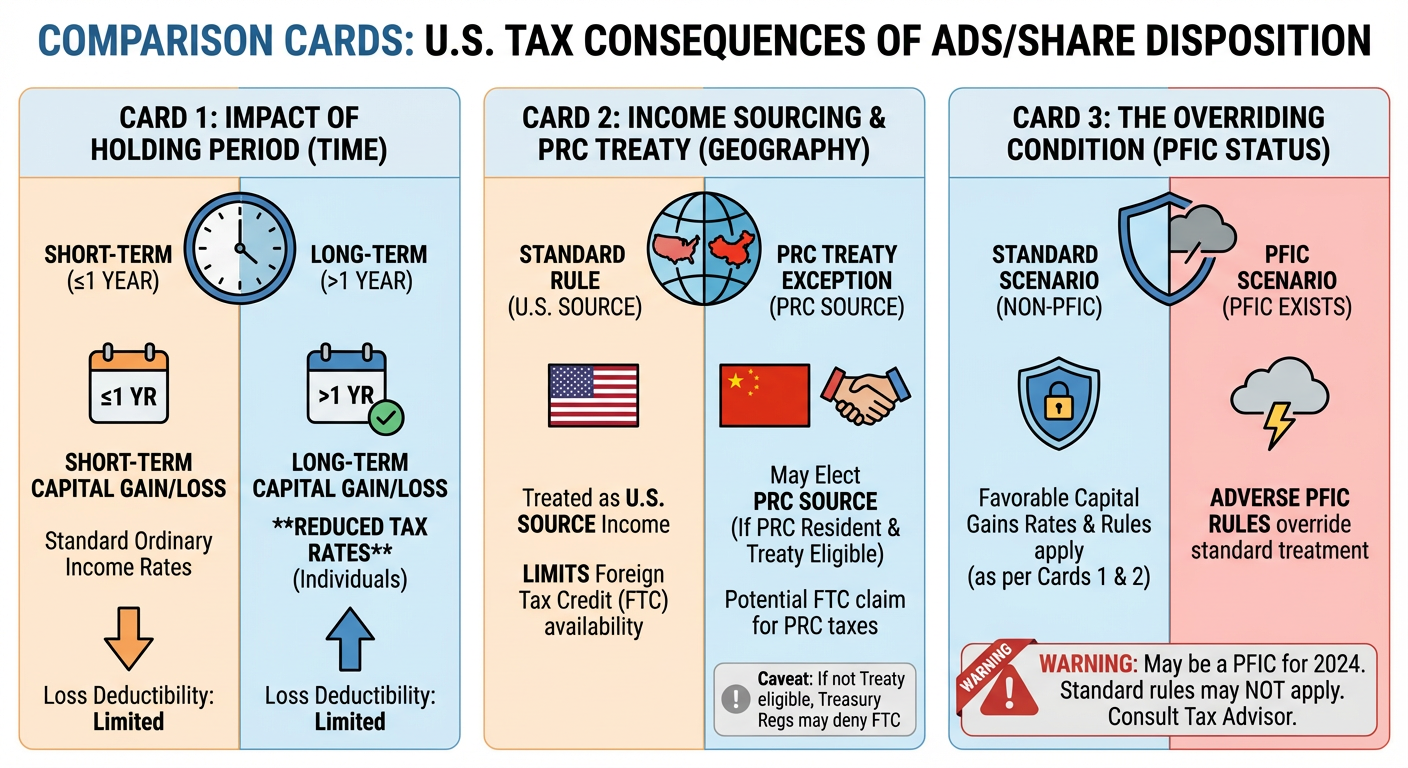
Visual Summary 4
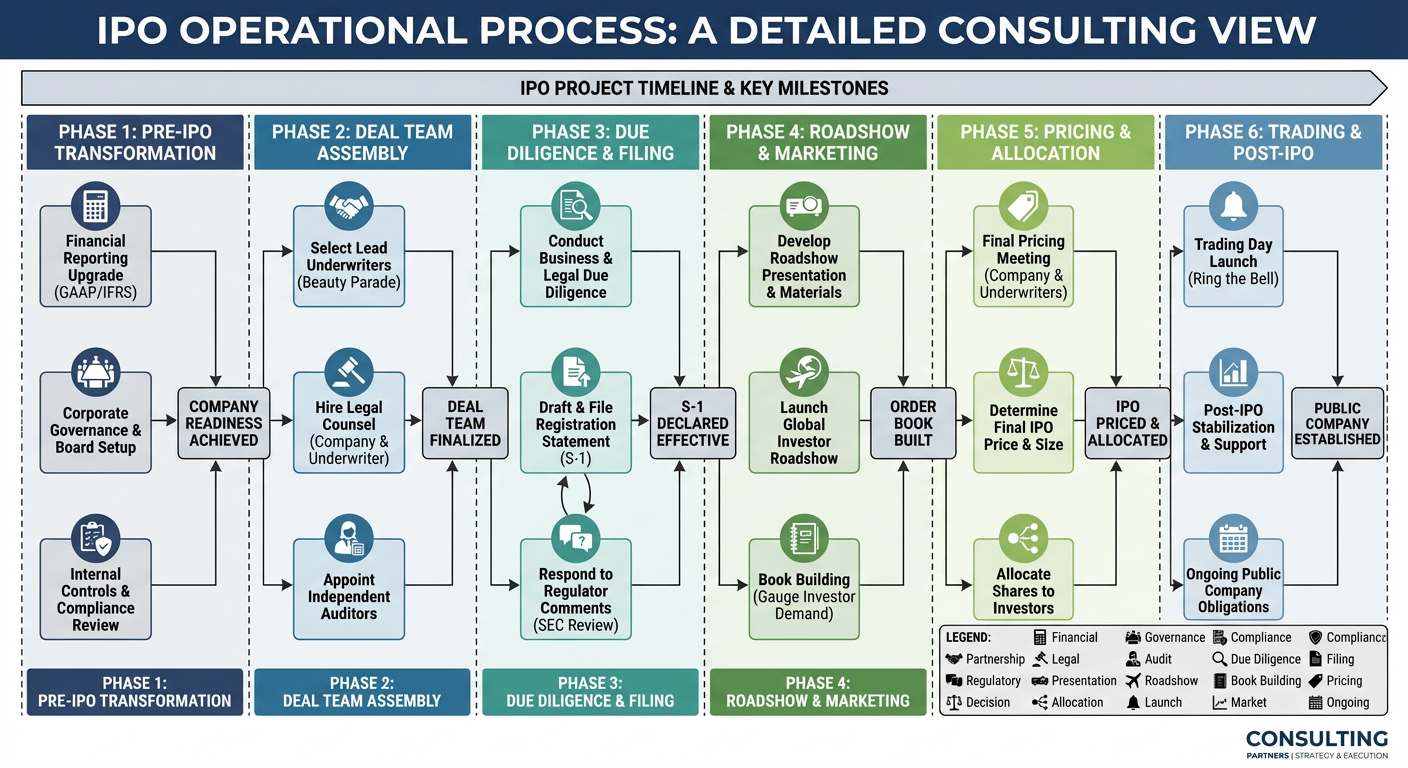
Visual Summary 5
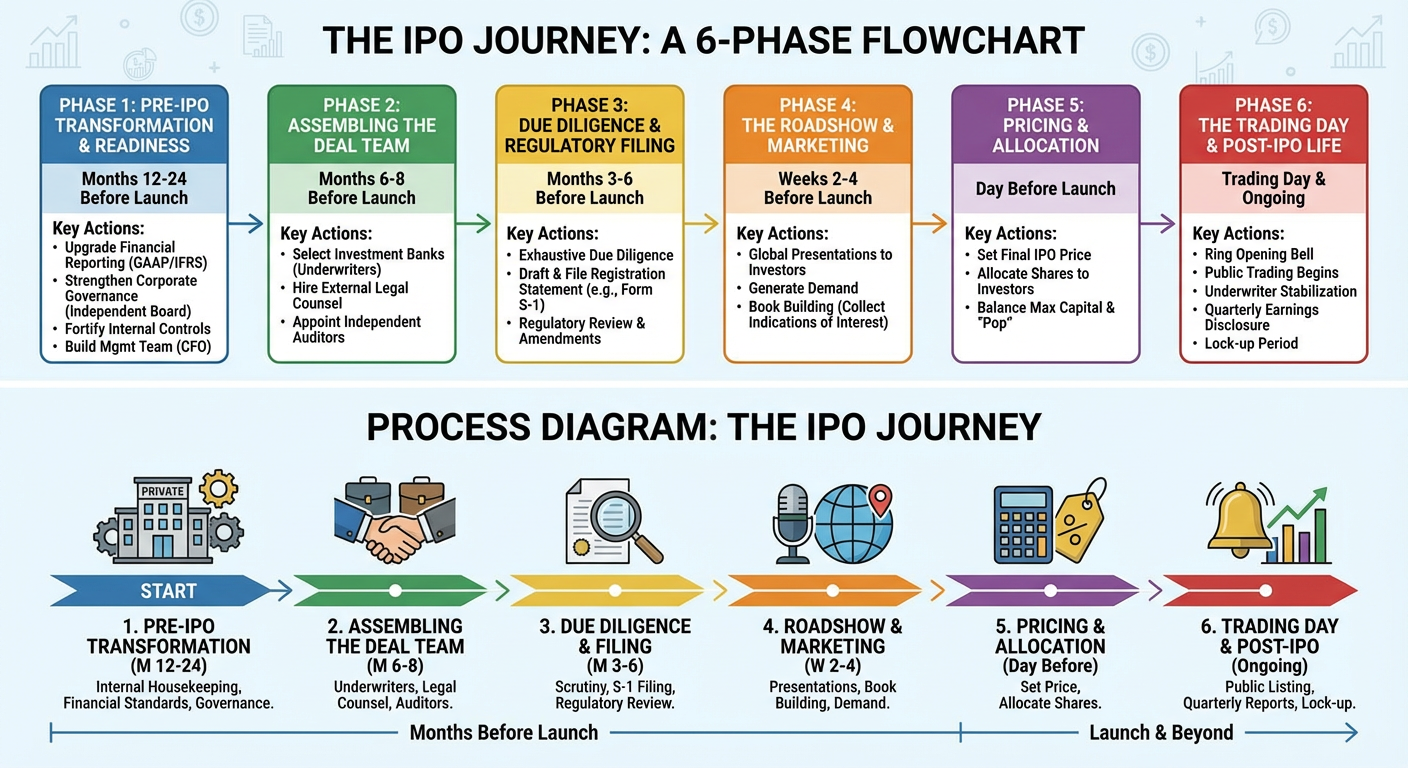
Visual Summary 6
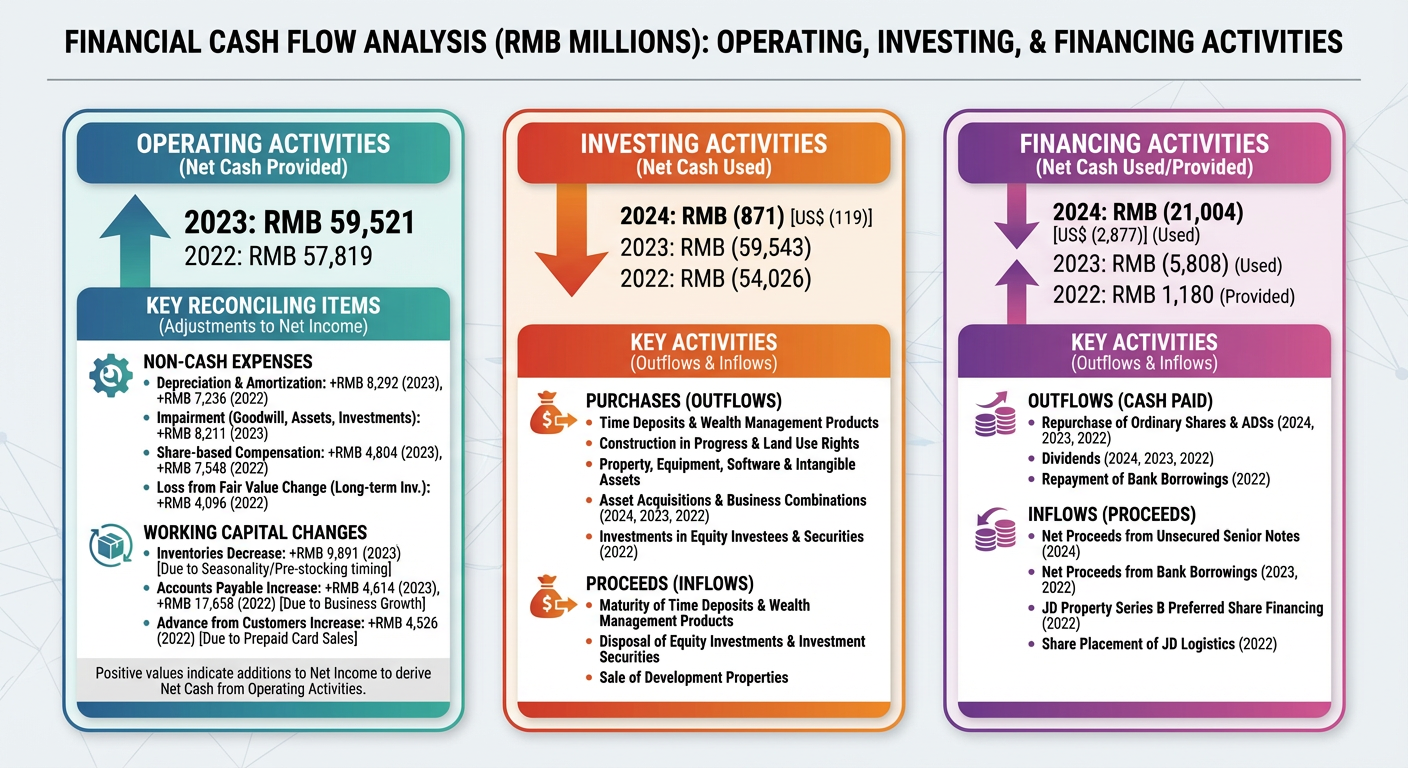
Visual Summary 7
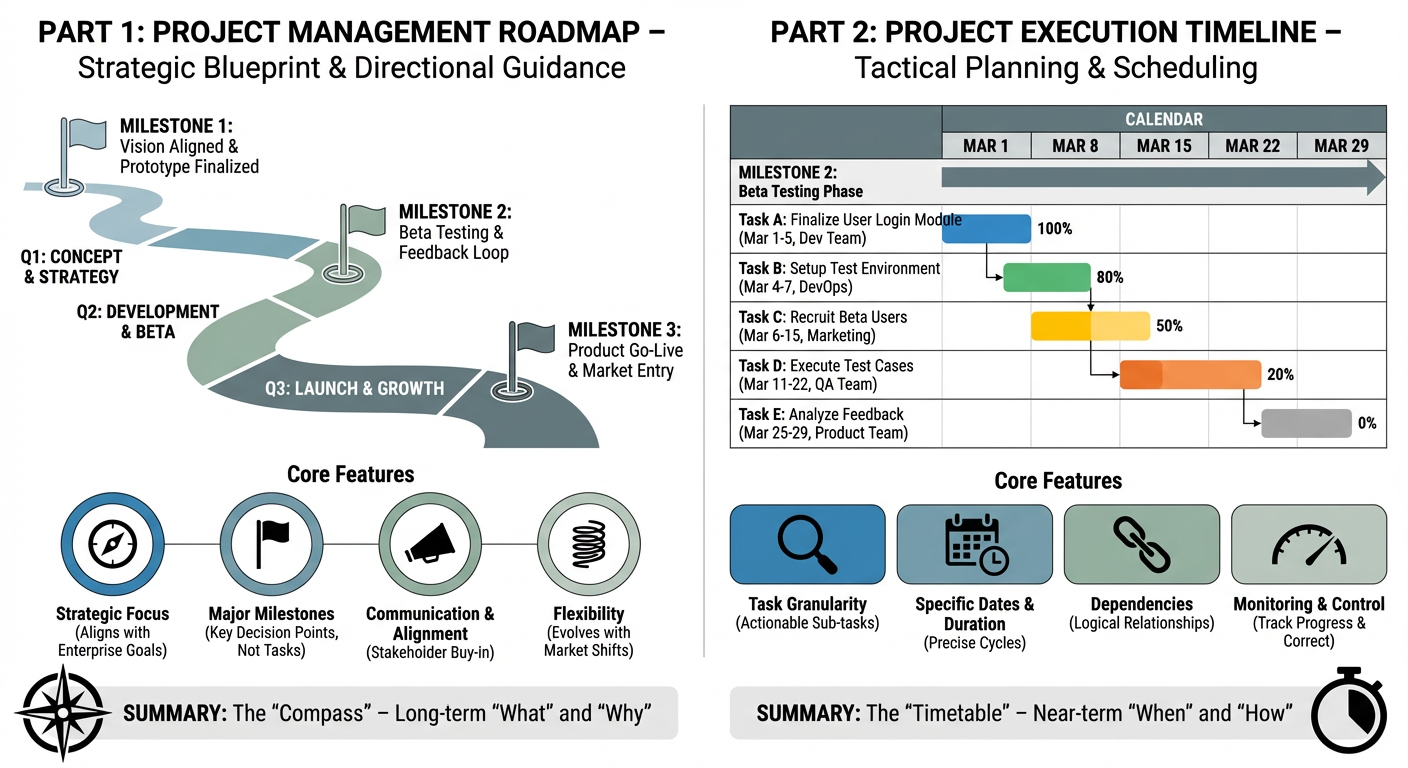
Visual Summary 8
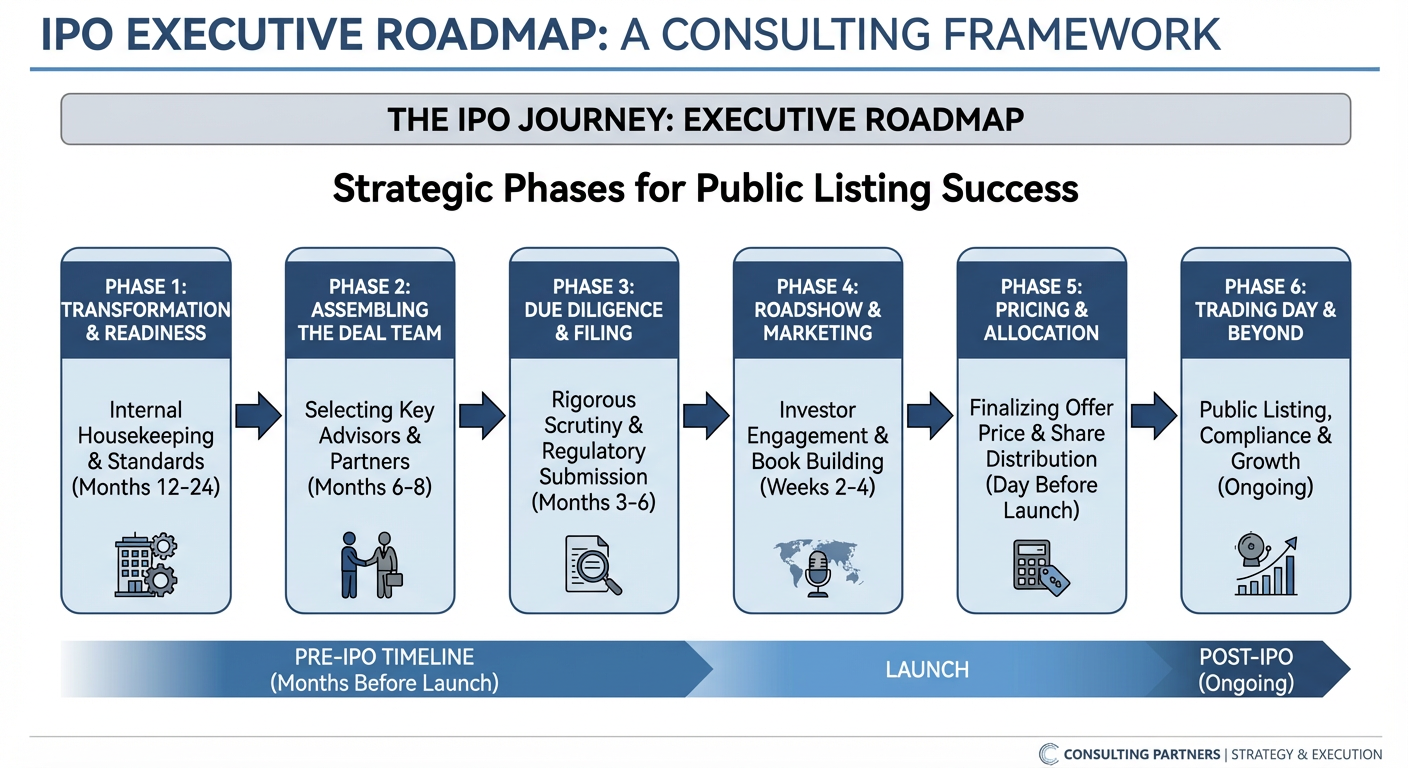
Visual Summary 9
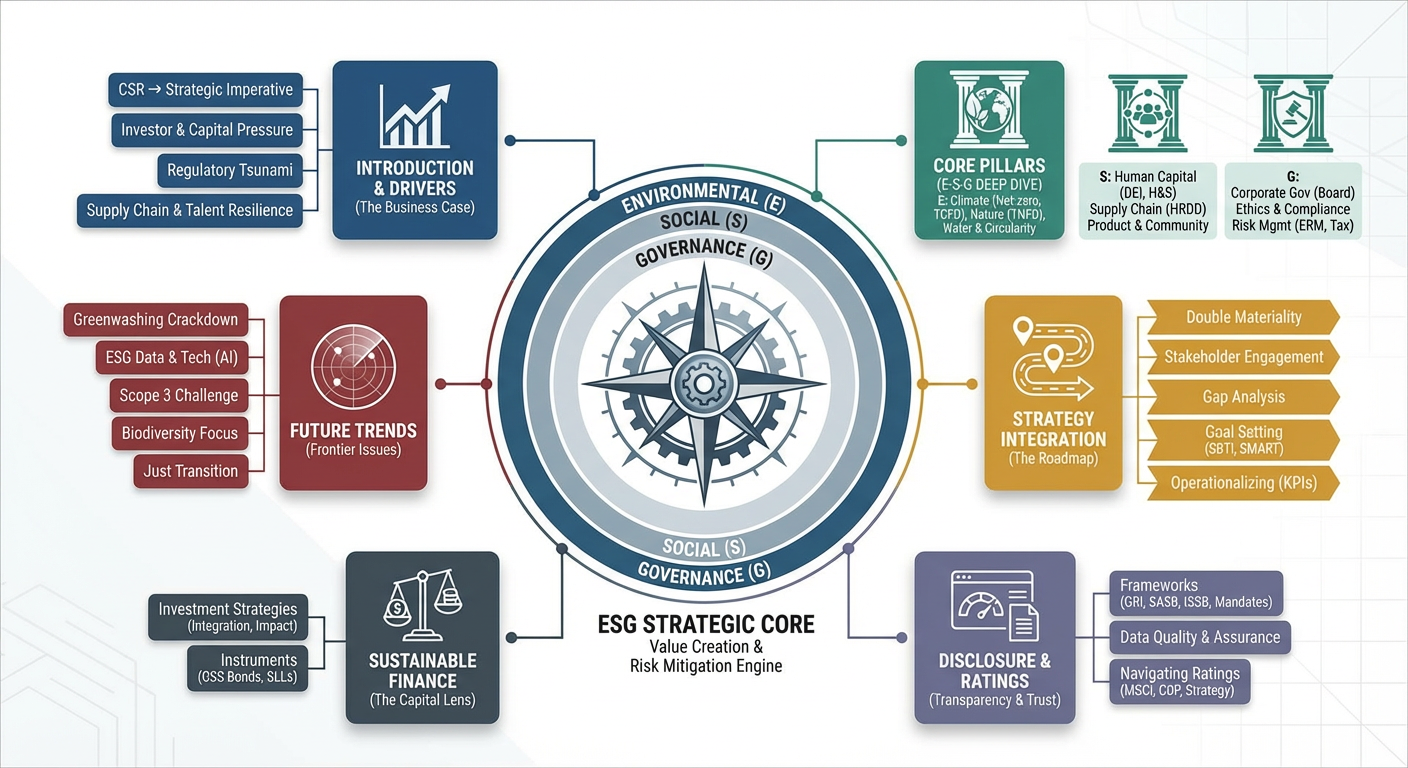
Visual Summary 10
Visual Summary 4
Visual Summary 5
Visual Summary 8
Visual Summary 9
Input
Please enter content
Click to upload or drag and drop
Supported formats: JPEG, PNG, WEBP · Max file size: 10MB · Max files: 8
Input images to transform or use as reference (supports up to 8 images)
Aspect ratio of the generated image
Select output resolution (SD 1K / HD 2K / UHD 4K)
Format of the output image
Output
output type
High-impact use cases
Investor & board updates one-pagers
Turn your KPIs and updates into a single investor-ready infographic page that's faster to read than a full deck.
Client proposals & pricing one-pagers
Condense long proposals and pricing into a value-focused infographic one-pager that makes it easier for clients to say yes.
Executive & client decision summaries
Distill long reports into a one-page infographic summary so executives and clients can decide in minutes, not hours.
Research & interview insight maps
Turn interview notes and research findings into visual insight maps that surface pains and opportunities at a glance.
Content marketing & whitepaper infographics
Transform long-form content and whitepapers into easy-to-scan infographics for your website and social channels.
Project status & roadmap visuals
Generate clear one-page infographic timelines and roadmap visuals so everyone sees where the project is now and what's next.
Visual formats you can generate with one paste
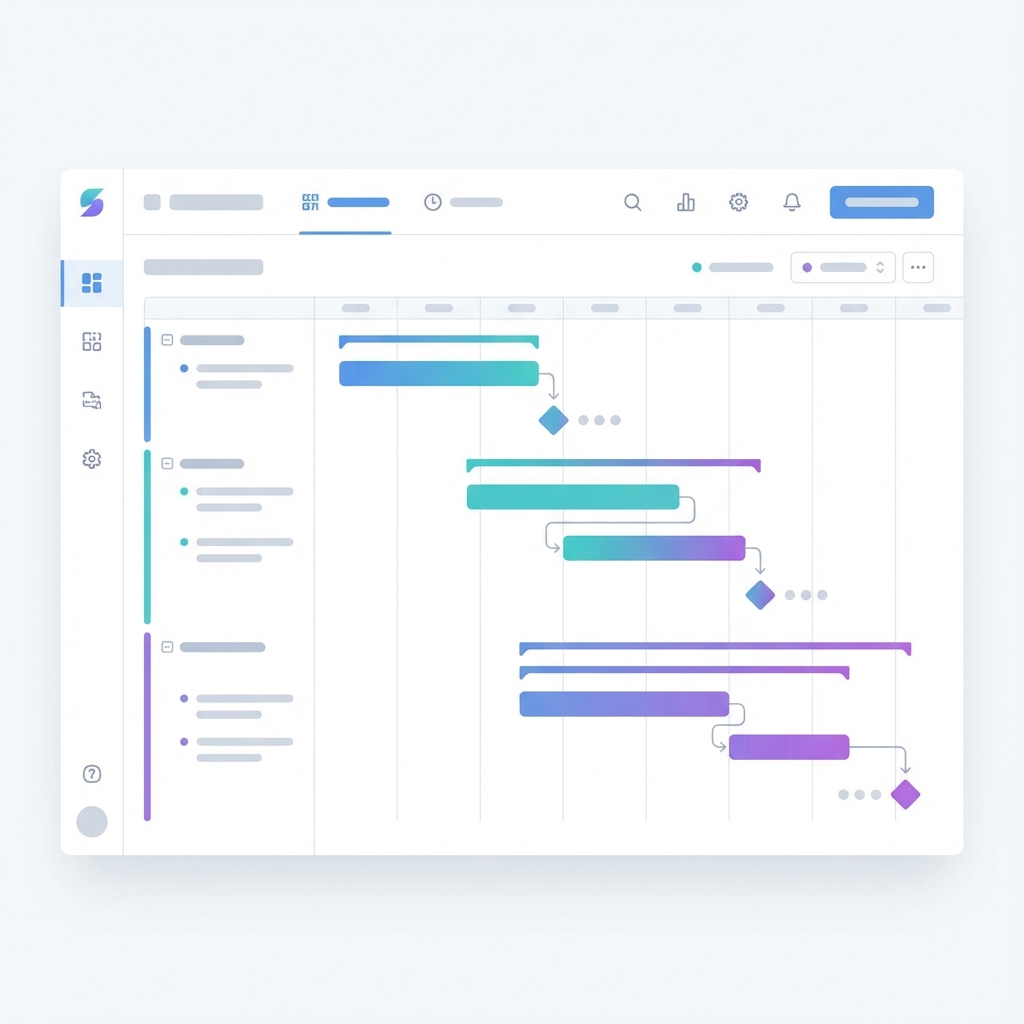
Timelines & roadmaps
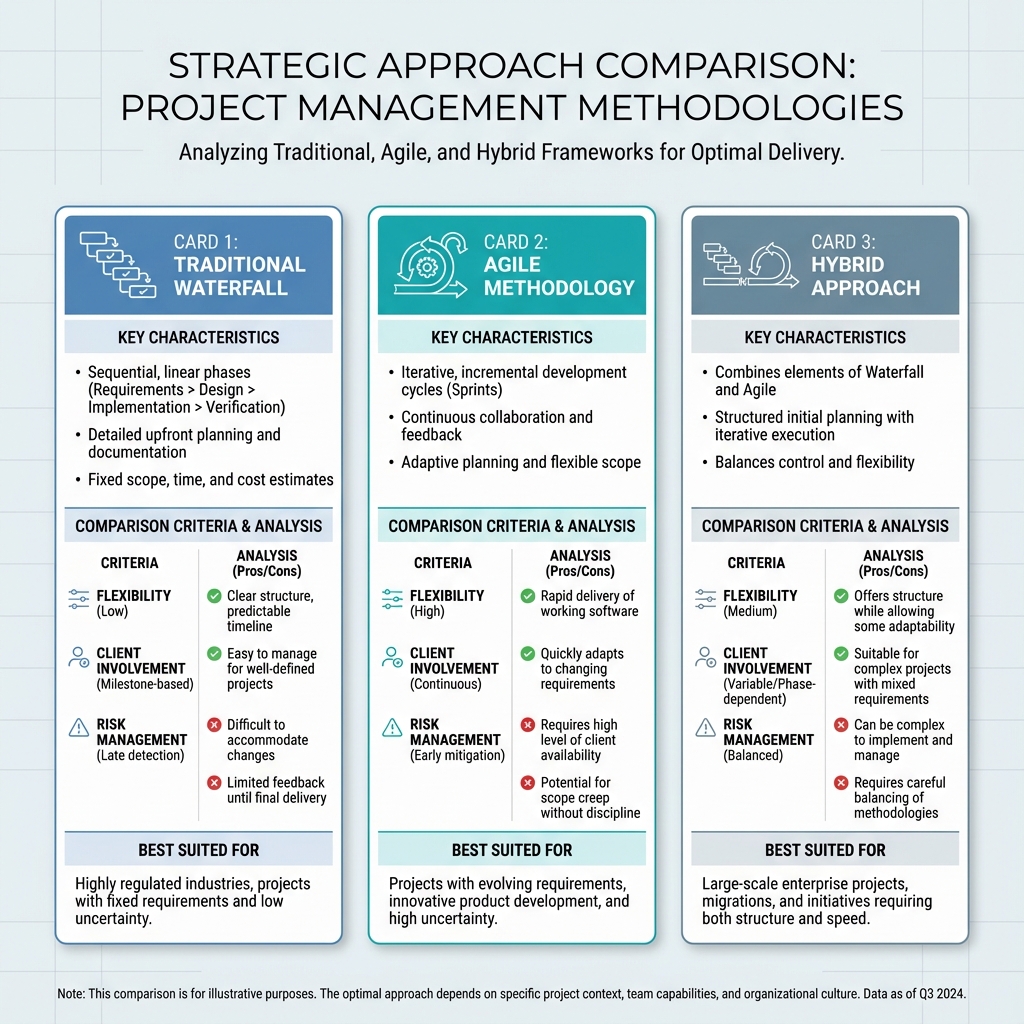
Comparison cards (infographics)
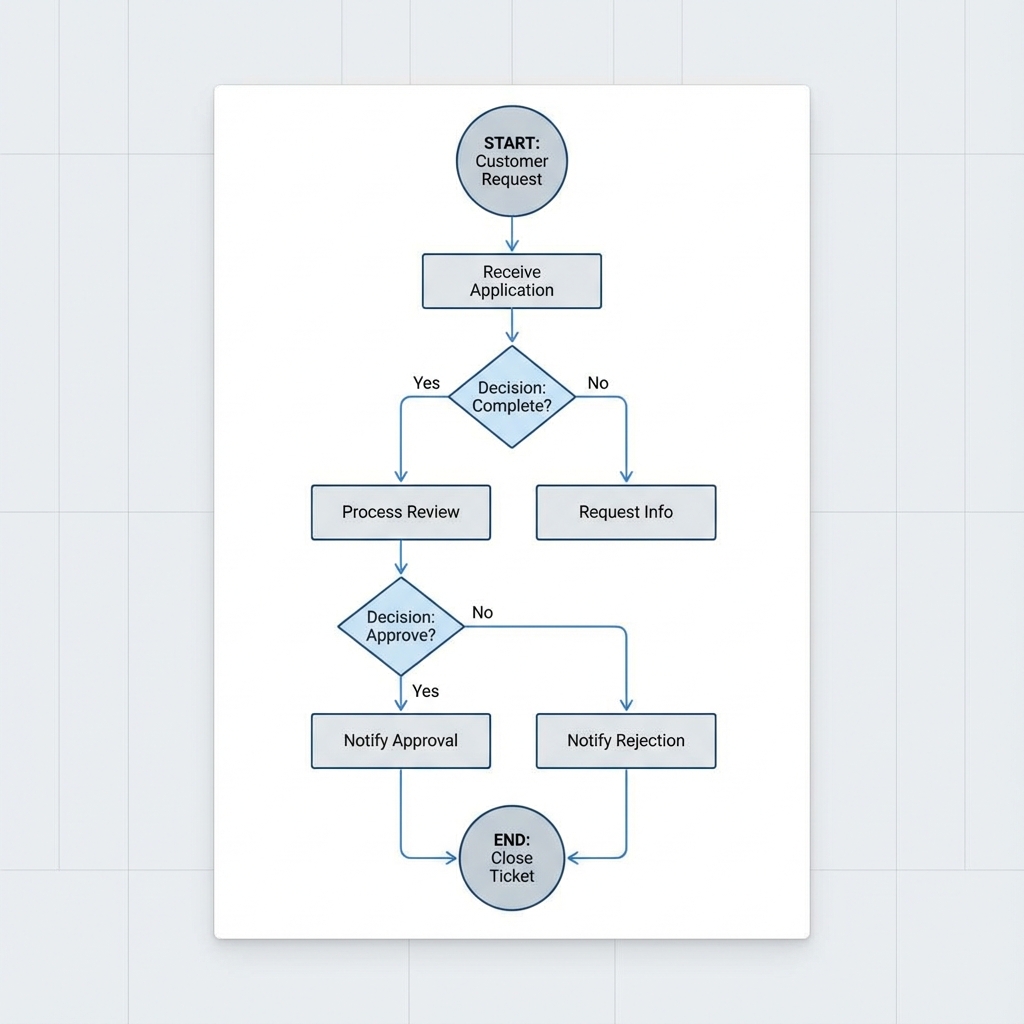
Flowcharts & process diagrams
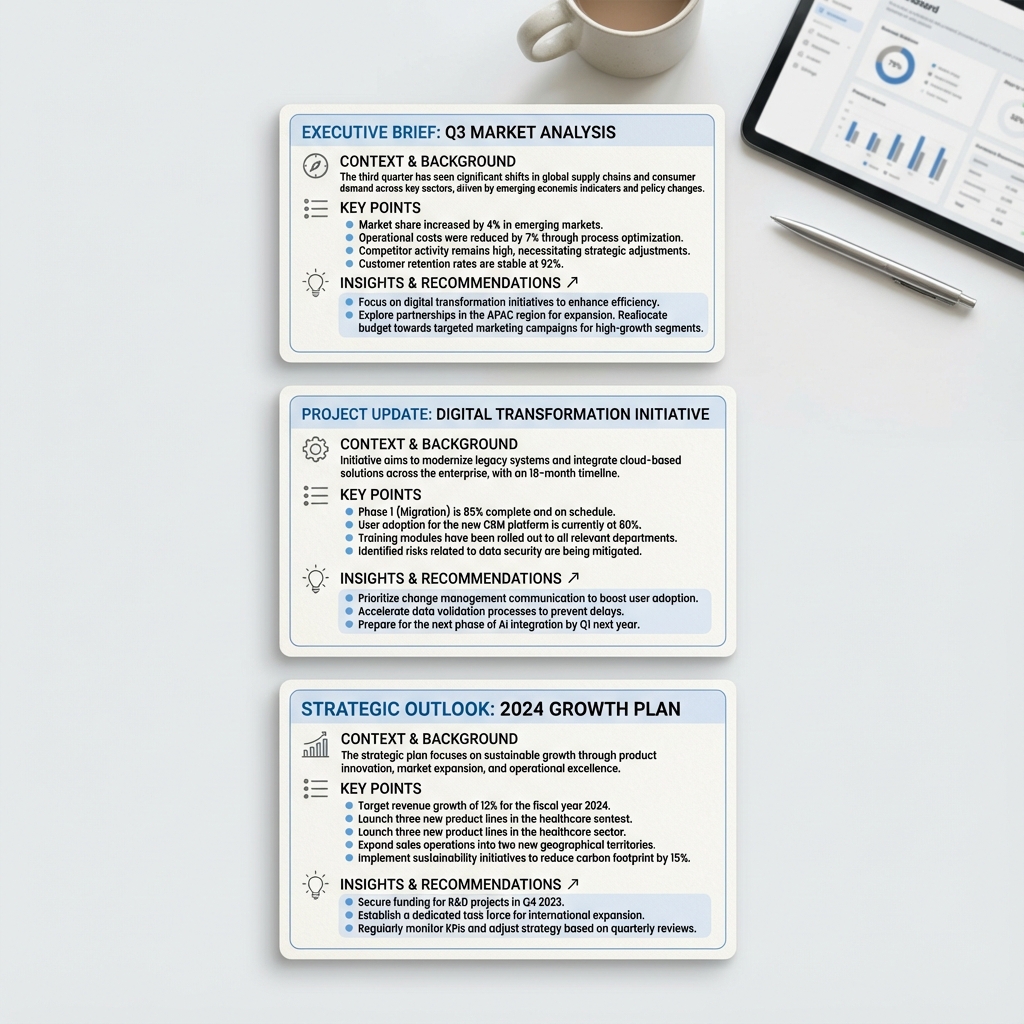
Summary card infographics
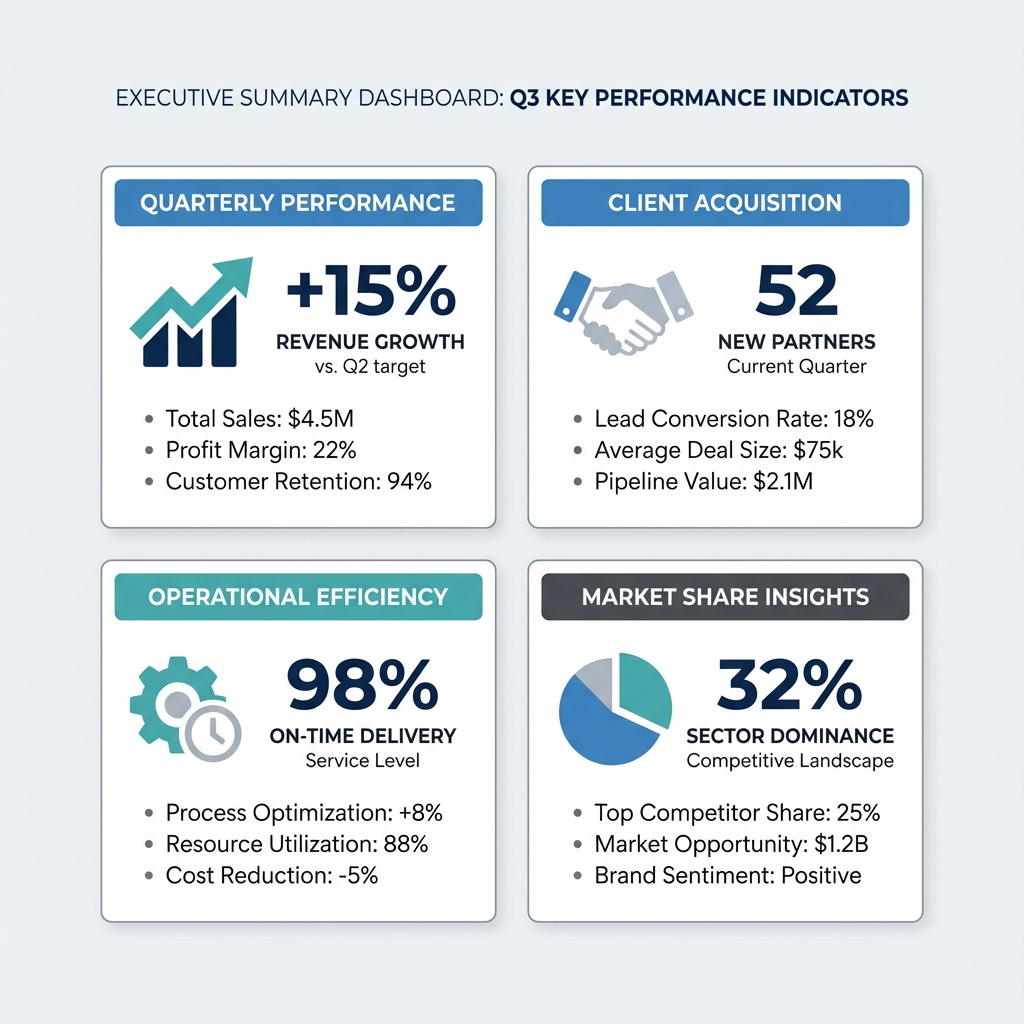
Infographics & info cards
Structure maps

Why use Nano Banana Pro infographics with SummaryPort?
Text or images, one unified pipeline
Paste long-form text or upload visuals—whiteboard photos, charts, screenshots. Nano Banana Pro + SummaryPort extract the structure and map it to the right infographic pattern.
From SummaryPort summaries to stakeholder-ready visuals
Send your SummaryPort text summaries straight into Nano Banana Pro to get finished one-page infographic visuals—ready for proposals, updates, reports, and reviews.
Automatic structure → visual pattern
Context, key points, data, next steps—Nano Banana Pro turns structured summaries into infographic summary cards, infographic timelines, and insight map infographics. You focus on content; we pick the layout.
Optimised for consulting & research
Designed for consulting decks, research reports, and internal updates: clear takeaways, readable structure, and slides you can actually ship—not just pretty art.
Decision-makers actually read it
We visually highlight KPIs, key insights, and next steps in each infographic so investors, clients, and executives can grasp the core in under a minute.
No prompt engineering or manual design
Paste your content instead of writing complex image prompts or fiddling with PowerPoint/Canva. SummaryPort extracts the intent; Nano Banana Pro handles the infographic visuals.
High-resolution, client-ready exports & deck-friendly layouts
Export 1K / 2K / 4K infographic visuals (plan-based) with layouts tuned for consulting and research—timelines, roadmaps, comparison cards, and summary cards that drop straight into decks and PDFs.
Frequently Asked Questions
Do I need design skills to create infographics?
No. Paste text or upload images, pick an infographic type, and SummaryPort + Nano Banana Pro handle structure and layout. You can make light edits if needed.
Can I work with text only? What about images only?
Yes. Text-only; text + images (e.g., sketch + text); or images-only (whiteboard photos, sticky-note walls) are all supported.
Are the generated infographics safe for client or commercial use?
Free/entry plans: best for internal use and drafts. Pro/Studio plans: include commercial usage rights—see pricing for details.
Do I need design skills or prompt engineering?
No. You paste your content; SummaryPort extracts the structure, and this feature turns it into a visual pattern. You don’t have to write image prompts, pick fonts, or manually arrange boxes—those parts are automated.
What kind of content does it work best with?
It works best with structured summaries for: investor updates, client proposals, research reports, project updates, workshop notes, and user research findings. In short: any content where you need one clear page for busy stakeholders.
How is pricing handled? Is this included or an add-on?
We treat infographics as a paid add-on on top of SummaryPort: Free SummaryPort users get a limited number of infographic exports to try the workflow. Paid plans include a higher quota of exports, with additional packs available if you need more. For the latest limits and prices, please check the pricing section inside the app or on our website.
What about export quality and formats?
You can export high-resolution PNGs (and optionally PDFs) suitable for decks, reports, and large screens. Higher-tier plans unlock 2K/4K resolution for investor decks, whitepapers, and print.
How is pricing handled? Is this included or an add-on?
We treat infographics as a paid add-on on top of SummaryPort: Free SummaryPort users get a limited number of infographic exports to try the workflow. Paid plans include a higher quota of exports, with additional packs available if you need more. For the latest limits and prices, please check the pricing section inside the app.
Send your first SummaryPort summary
Start creating visual summaries today.